
How to Organize Cables and Chargers Neatly: Simple Tips and Tricks
Why Organizing Cables and Chargers Matters
Cables and chargers are essential for powering our devices, but they often create clutter and frustration if left unmanaged. Tangled cords can be difficult to untangle, take up unnecessary space, and even cause wear and tear on your equipment. Organizing them not only improves the appearance of your space but also makes it easier to find and use what you need.
Assess Your Cable and Charger Situation
Before diving into organization, it helps to take stock of all your cables and chargers.
– Gather all cables, power bricks, and chargers in one place.
– Identify what you use regularly and what can be discarded or stored away.
– Group items by device type (phones, laptops, gaming consoles, etc.) or by length and size.
This assessment will give you a clear idea of what needs managing and how much storage space you might require.
Tools and Materials You May Need
Having the right tools can make organizing cables a breeze. Some useful items include:
– Cable ties or Velcro straps: Great for bundling cables without damaging them.
– Cable clips or holders: Keep cords attached neatly to desks or walls.
– Cable sleeves or tubing: Bundle multiple cables together for a unified look.
– Label makers or tags: Label both ends of cables for easy identification.
– Storage boxes or drawer organizers: Separate cables and chargers by type or size.
– Cord winders or reels: Prevent tangling for longer cables.
– Hooks or pegboards: Hang chargers and cables out of the way.
Step-by-Step Guide to Organize Your Cables and Chargers
#### 1. Disconnect and Detangle
Start by unplugging everything and laying out your cables separately. Untangle any knotted cords and straighten them to their full length.
#### 2. Sort by Category
Organize cables into groups based on use or size. For instance, keep smartphone cables together and separate from power cords for laptops.
#### 3. Label Your Cords
Use a simple label maker, masking tape, or pre-made tags to label each cable by device or purpose. This step saves time later when searching for a specific cord.
#### 4. Use Cable Ties or Velcro Straps
Bundle excess length of cables using removable ties. Avoid tight knots that can damage internal wiring. Velcro straps offer flexibility if you need to adjust or reuse cables often.
#### 5. Employ Storage Solutions
Use a variety of storage options:
– Drawer organizers: Store frequently used cables and chargers in divided sections.
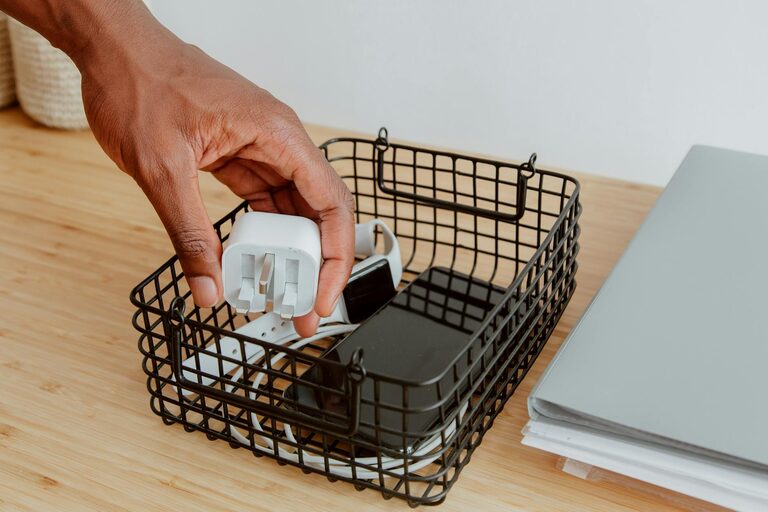
– Storage boxes: Clear plastic boxes let you see contents at a glance.
– Ziplock bags: Useful for grouping smaller accessories such as USB adapters or earbuds.
Keep cables you use less frequently in labeled containers to avoid clutter.
#### 6. Arrange Charging Stations
Create a designated charging area with a multi-port USB charger to reduce the number of individual chargers plugged into outlets. Cable clips attached to the edge of desks or nightstands can keep charging cables from falling behind furniture.
#### 7. Implement Cable Management at Your Desk
Use cable clips, sleeves, or under-desk trays to keep cords out of sight but easily accessible. Running cables along walls or furniture edges reduces visual clutter and prevents tripping hazards.
#### 8. Regular Maintenance
Every few months, revisit your cable collections:
– Check for damaged cables and recycle or replace as needed.
– Remove cables and chargers you no longer use.
– Reorganize as your device needs change.
Additional Tips for Keeping Cables Organized
– Shorten cables naturally: Use twist ties or wind cables in gentle loops to avoid kinks.
– Color-code cables: If possible, use colored cables or tags to recognize types or devices quickly.
– Keep essentials handy: Store your daily-use cables within arm’s reach while putting backup or rarely used ones in storage.
– Avoid overstuffing storage: Leave room for new cables and avoid damaging cords by cramming them in small spaces.
Benefits Beyond Tidiness
Organizing your cables and chargers can lead to greater efficiency, less stress, and a safer environment by reducing the risk of tripping or electrical hazards. Plus, maintaining your cables can extend their lifespan.
Conclusion
With just a bit of time and a few simple tools, you can transform your tangle of cords into a neat, manageable system. Whether at home or in the office, a well-organized cable setup makes powering your devices simpler and more enjoyable. Start today by sorting and labeling, and enjoy a clutter-free charging experience!